Unlimited Desktop Boxes
Create a dedicated visual workspace for every project, client or task.
Glass Desktop Box Features
Everything you need to organize your desktop, share files and collaborate remotely.
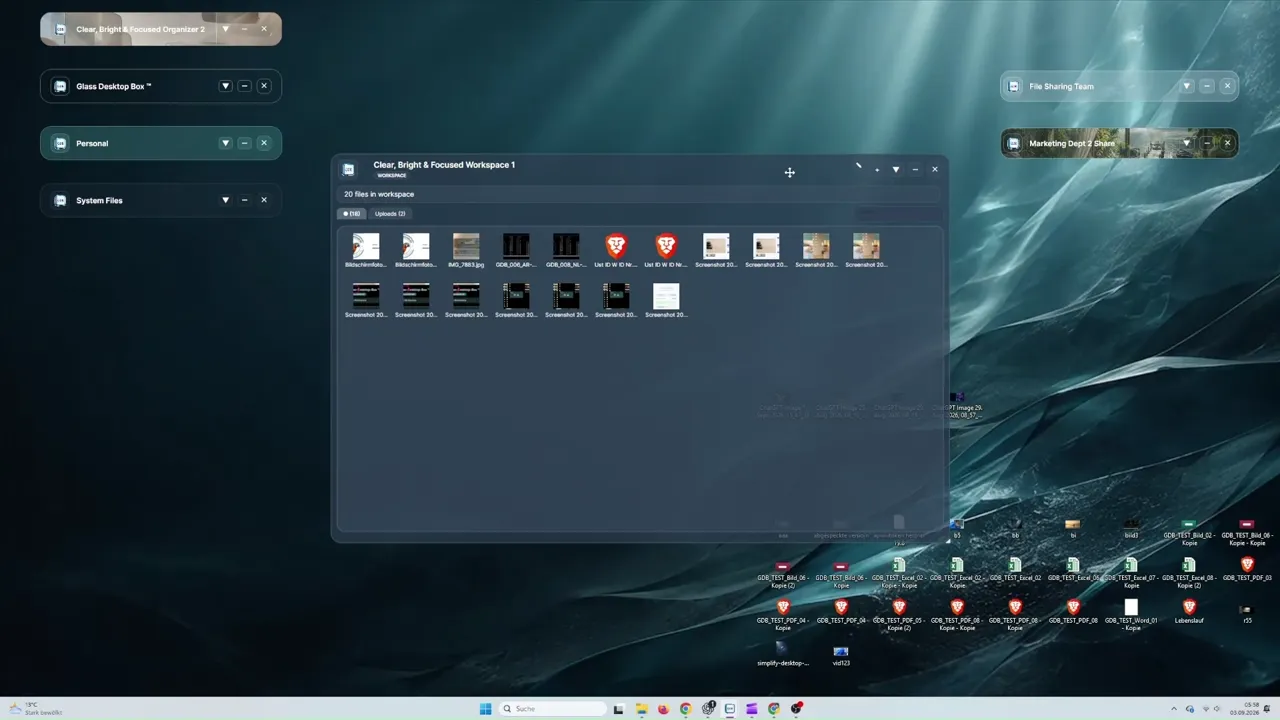
The silent demonstration starts with scattered desktop files, groups them into clearly named visual Desktop Boxes and shows a cleaner project-based workspace. Selection Tabs provide additional views inside an organized Box.
Visual Desktop Organization
Glass Desktop Box™ is visual desktop organizer software for real local files. Create a Desktop Box for every project, client or task, organize files by drag and drop and collapse inactive workspaces without replacing your normal folders.
✓ Create unlimited named Desktop Boxes for projects, clients or tasks
✓ Organize real local files with simple drag and drop
✓ Collapse or roll up inactive Boxes to keep current work visible
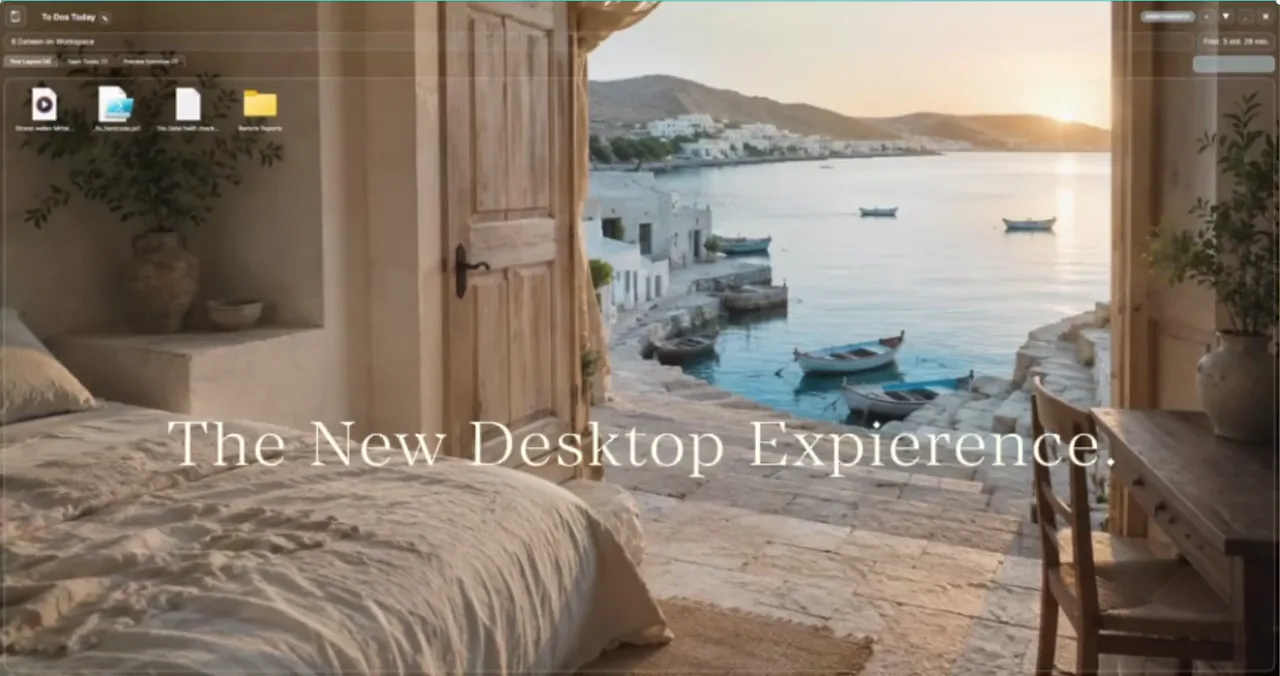
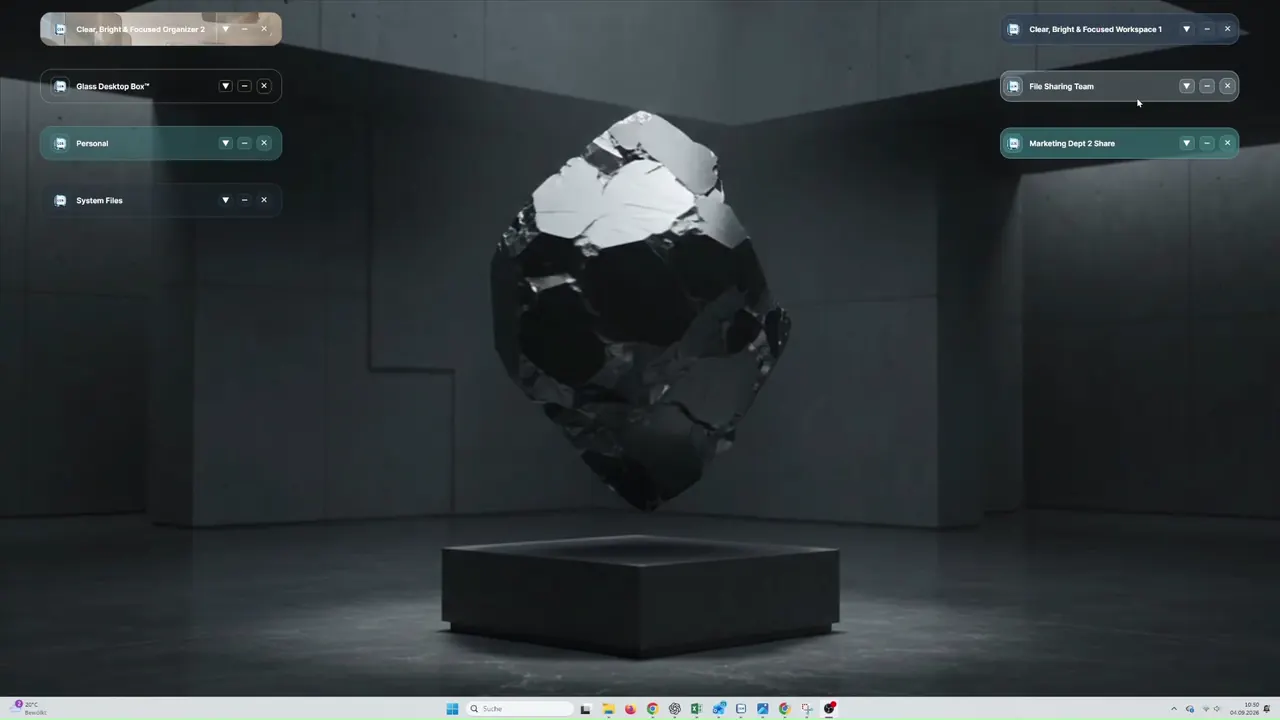
The silent demonstration creates multiple dedicated desktops and switches between them. It emphasizes local organization without an embedded AI model scanning or moving files.
Unlimited Desktops
Build a dedicated desktop for every project, client or part of your life—and switch between them with just one click. Glass Desktop Box™ organizes real local files without an embedded AI model.
✓ Create dedicated desktops for projects, clients, work and personal use
✓ Switch between desktops with a single click
✓ Purely local desktop organization with no embedded AI
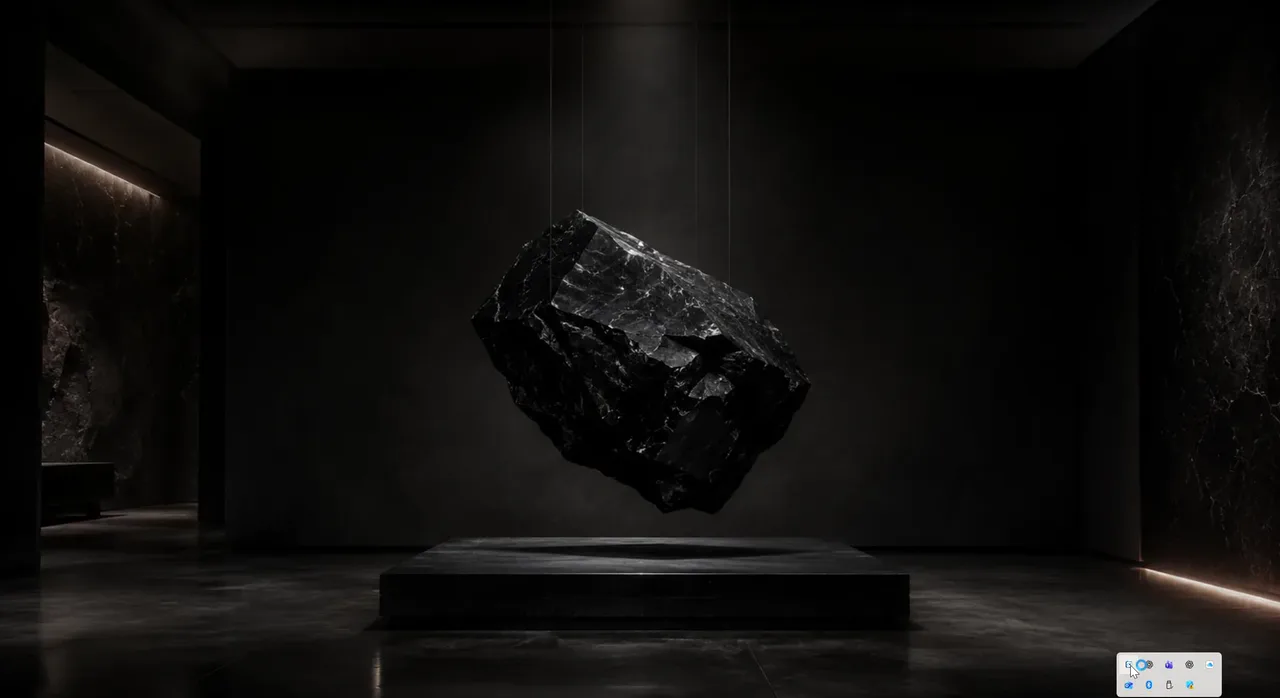
The silent product demonstration presents new Glass Desktop Experiences and shows coordinated Desktop Boxes, backgrounds and animated workspace designs in action.
The New Desktop Experience
More than a wallpaper: bring your Boxes to life. Upload your own video or choose from 233 preinstalled animated backgrounds and live clock designs. Every animation is included in every package, from Starter through Enterprise.
✓ Use your own videos as animated Box or desktop backgrounds
✓ Choose from 233 animations and live clock designs with direct previews
✓ Included in every package from Starter through Enterprise
The silent demonstration creates a Remote invitation link, shares the PIN with a recipient and opens the browser-based transfer workflow. Files use a direct peer-to-peer route whenever technically possible.
Instant File Sharing
Create a Remote invitation link, let the recipient connect through the browser and transfer selected files directly whenever technically possible—without permanent cloud file storage.
✓ Create and share a PIN-protected Remote invitation link
✓ Let the recipient connect through a browser without Remote ProBox™
✓ Direct peer-to-peer transfer whenever technically possible
✓ Automatic secure relay fallback when a direct route is unavailable

The silent demonstration connects two computers to the same Remote ProBox. Both participants work with the shared files and workspace structure while collaboration updates remain synchronized.
Remote ProBox™
A ProBox appears instantly on another user's screen with its full structure. Both participants see the same files, notes and updates in real time — no screen sharing required.
✓ ProBox appears simultaneously on both desktops
✓ Synchronized files, folders, notes and deadlines
✓ Multi-user support — invite multiple participants

Light · Starter: Available now. ProBox · ProBox Duo: Available October 20, 2026.
Privacy First
Glass Desktop Box is built around direct connections. Files are never stored permanently in the cloud. Every session is PIN-protected and you decide who gets access.
✓ PIN-protected Boxes and sharing sessions
✓ Direct P2P connections — no permanent cloud storage
✓ Secure relay fallback with integrity verification
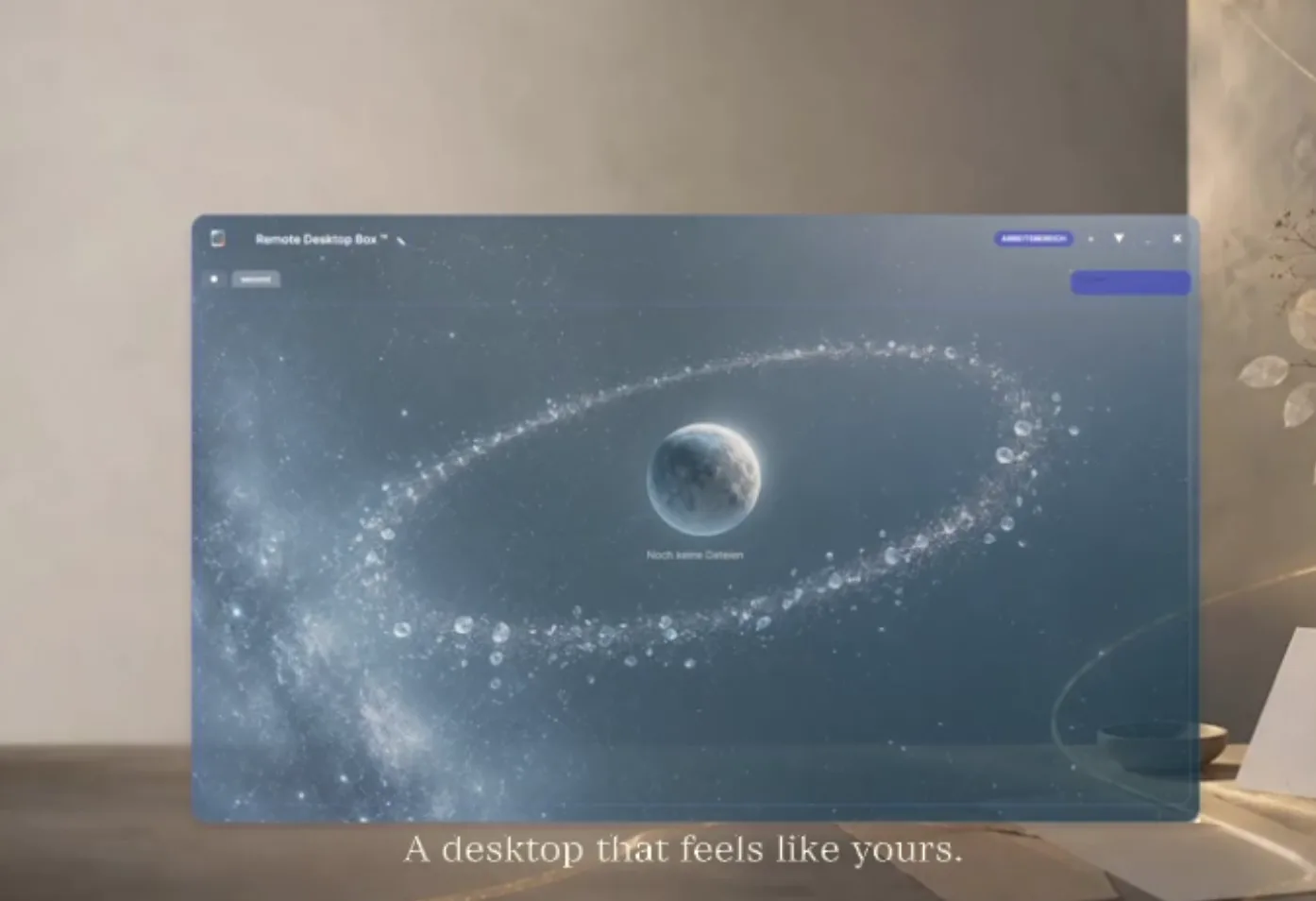
The silent demonstration shows how backgrounds, colors, transparency and layouts can be adjusted to give a Desktop Box or complete Desktop Experience a distinct visual identity.
Customization
Every Box can have its own background image, color, transparency, title and layout. Choose from built-in Desktop Experiences or design your own visual workspace.
✓ Custom backgrounds, colors, transparency and icon layouts per Box
✓ Desktop Experiences — complete visual themes for your desktop
✓ Collapsible, resizable and freely positionable Boxes
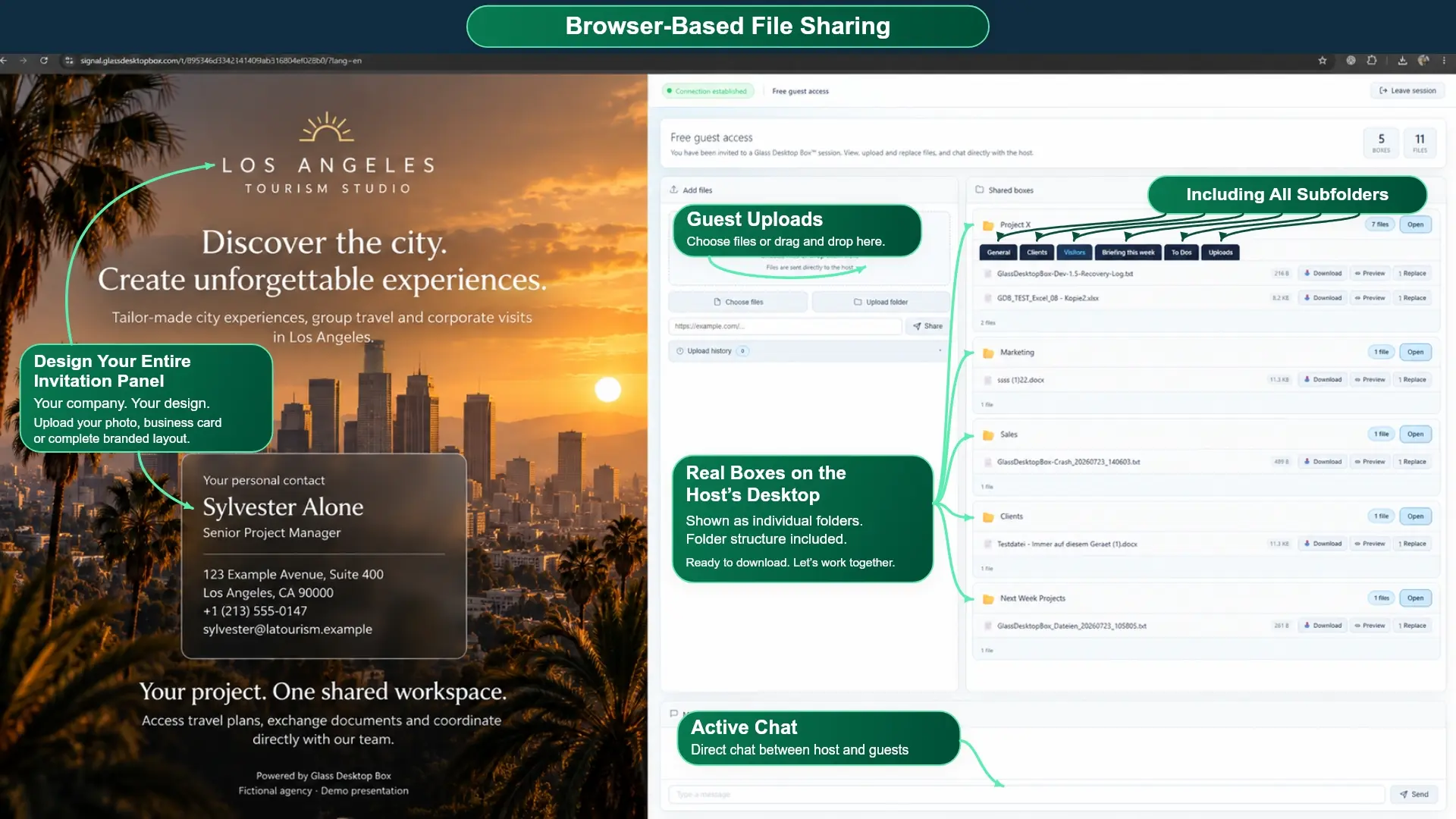
Customization · Your browser invitation
Your personal style doesn’t stop at your desktop. Customize the browser invitation your guests see with your own image, business card or branded design. Create a welcoming space that reflects you, your business or your current project.
✓ Use your own photo, business card or custom-designed image
✓ Give each project or client a personal, professional welcome
✓ Bring your own visual identity to the browser-based sharing experience
Cross-Platform
Light · Starter: Available now. ProBox · ProBox Duo: Available October 20, 2026.
Learn more about Cross-Platform support →Complete feature overview
Explore all 48 workspace capabilities, grouped by the way they improve your daily workflow.
Create a dedicated visual workspace for every project, client or task.
Keep multiple named sections inside one Box and switch instantly.
Connect a Box directly to a real folder already stored on your computer.
Your files remain normal files in normal folders—not trapped in a database.
Move files into the right workspace as naturally as arranging a physical desk.
Choose the file presentation that works best for each individual workspace.
Find the file you need without manually opening folder after folder.
Inspect supported content directly before deciding what to open or share.
Move selected files between Desktop Boxes without leaving the visual workspace.
Combine entire workspaces when projects or responsibilities come together.
Undo a completed Box merge and restore the previous workspace assignment.
Keep original file paths and familiar Windows file icons intact.
Resize and place every Box exactly where it supports your workflow.
Reduce a complete workspace to a clean title bar and reopen it instantly.
Clear visual space immediately without closing or moving your working files.
Focus on one project without the distractions of the rest of the desktop.
Attach a date and time directly to the work that needs attention.
Capture ideas, instructions and important information without leaving your desktop.
Give projects a recognizable visual identity without hiding your desktop.
Save frequently used Color Studio combinations and apply them again quickly.
Turn any personal photo or project visual into an individual Box background.
Use your own video files as moving backgrounds for truly personal workspaces.
Choose from 554 ready-to-use images across 30 curated visual collections.
Choose from 233 animations, including 12 live clocks.
Lock sensitive workspaces so private project content stays private.
Recover protected access through the verified PIN recovery workflow.
See when files were added, opened, renamed, copied or removed.
File operations are verified and recorded before source data is removed.
Recover interrupted operations and return files safely after a crash.
Return files safely when a workspace is closed or the application is uninstalled.
Create an invitation link with one click or prepare it as an email draft.
Guests join in a supported browser without installing the desktop application.
A PIN protects every invited browser session from unauthorized access.
Connect directly when technically possible, otherwise through a secured relay connection.
Upload, download or replace approved files and folders through the shared workspace.
Phone and tablet users can receive and upload files as browser guests, but cannot host a session.
Work together inside the same live shared Remote ProBox.
Keep shared Selection Tabs synchronized for all participants.
Send approved files in both directions during a Remote ProBox session.
See whether invited participants are connected and available.
Keep project conversations directly beside the files and workspace they belong to.
Use logged, controlled editing with safeguards against conflicting file versions.
Compatible with Windows 10 (64-bit) and Windows 11.
Compatible with Windows 365 Cloud PC. Box animations work; animated desktop backgrounds may be unreliable, so static posters are available.
Work with OneDrive Files On-Demand without forcing every file to be downloaded first.
Preserve supported OneDrive cloud-status attributes during file operations.
Use the interface in 16 languages, including right-to-left layout for Arabic.
Receive securely signed updates selected for the installed Windows architecture.
Comparison
Compare Glass Desktop Box™ with standard desktop folders and conventional cloud drives. Organize real local files visually, share without uploading first and collaborate without permanent cloud file storage.
| Feature | Glass Desktop Box | Standard Folders | Cloud Drives |
|---|---|---|---|
| Visual workspaces directly on the desktop | ✔ | ✖ | ✖ |
| Real local files in normal folders | ✔ | ✔ | Varies |
| Unlimited Desktop Boxes | ✔ | ✖ | ✖ |
| Create, name, move, resize and collapse Desktop Boxes | ✔ | ✖ | ✖ |
| Ready-to-use Desktop Experience presets | ✔ | ✖ | ✖ |
| Own images and videos as private Box or desktop backgrounds | ✔ | ✖ | ✖ |
| PIN- or password-protected individual Desktop Boxes | ✔ | ✖ | Varies |
| Brandable shared ProBoxes with a custom name, background and visual identity | ✔ | ✖ | Varies |
| Multiple separate desktops with one-click switching | ✔ | ✖ | ✖ |
| Integrated live chat for collaboration in Start workspaces and ProBoxes | ✔ | ✖ | Varies |
| Individually design every Box with backgrounds, colors, transparency, titles, sizes and layouts | ✔ | ✖ | ✖ |
| Included Desktop Experiences, static backgrounds and silent video animations | ✔ | ✖ | ✖ |
| Instant file sharing from your desktop | ✔ | ✖ | Varies |
| Sharing without recipient registration | ✔ | ✖ | Varies |
| No upload required before sharing | ✔ | ✖ | ✖ |
| Direct P2P transfer whenever possible | ✔ | ✖ | ✖ |
| No permanent cloud file storage | ✔ | ✔ | ✖ |
| Remote ProBox™ collaboration | ✔ | ✖ | ✖ |
| PIN-protected sharing sessions | ✔ | ✖ | Varies |
| Local organization works offline | ✔ | ✔ | Limited |
| No embedded AI file analysis | ✔ | ✔ | Varies |
| Light · Starter: Available now. ProBox · ProBox Duo: Available October 20, 2026. | ✔ | ✖ | Varies |